

'%3e%3cpath%20d='M12%2020.3333C16.6024%2020.3333%2020.3333%2016.6024%2020.3333%2012C20.3333%207.39762%2016.6024%203.66666%2012%203.66666C7.39763%203.66666%203.66667%207.39762%203.66667%2012C3.66667%2016.6024%207.39763%2020.3333%2012%2020.3333Z'%20stroke='%23F2F2F2'%20stroke-width='2.08333'%20stroke-linecap='round'%20stroke-linejoin='round'/%3e%3cpath%20d='M8.66667%2013.6667C8.66667%2013.6667%209.91667%2015.3333%2012%2015.3333C14.0833%2015.3333%2015.3333%2013.6667%2015.3333%2013.6667'%20stroke='%23F2F2F2'%20stroke-width='2.08333'%20stroke-linecap='round'%20stroke-linejoin='round'/%3e%3cpath%20d='M9.5%209.5H9.50833'%20stroke='%23F2F2F2'%20stroke-width='2.08333'%20stroke-linecap='round'%20stroke-linejoin='round'/%3e%3cpath%20d='M14.5%209.5H14.5083'%20stroke='%23F2F2F2'%20stroke-width='2.08333'%20stroke-linecap='round'%20stroke-linejoin='round'/%3e%3c/g%3e%3cdefs%3e%3cclipPath%20id='clip0_10282_1064'%3e%3crect%20width='20'%20height='20'%20fill='white'%20transform='translate(2%202)'/%3e%3c/clipPath%3e%3c/defs%3e%3c/svg%3e)


Image to SVG Converter
Turn any PNG or JPG into a clean, scalable SVG vector.

From pixels to paths


Original
SVG vector
Trusted by
'%3e%3cpath%20d='M54.855%2022.6052C54.855%2028.6623%2050.1533%2033.1257%2044.3831%2033.1257C38.6129%2033.1257%2033.9111%2028.6623%2033.9111%2022.6052C33.9111%2016.5053%2038.6129%2012.0846%2044.3831%2012.0846C50.1533%2012.0846%2054.855%2016.5053%2054.855%2022.6052ZM50.2709%2022.6052C50.2709%2018.82%2047.5459%2016.2302%2044.3831%2016.2302C41.2203%2016.2302%2038.4953%2018.82%2038.4953%2022.6052C38.4953%2026.3524%2041.2203%2028.9801%2044.3831%2028.9801C47.5459%2028.9801%2050.2709%2026.3476%2050.2709%2022.6052Z'%20fill='%238F94A3'/%3e%3cpath%20d='M77.4464%2022.6052C77.4464%2028.6623%2072.7446%2033.1257%2066.9744%2033.1257C61.2042%2033.1257%2056.5024%2028.6623%2056.5024%2022.6052C56.5024%2016.5101%2061.2042%2012.0846%2066.9744%2012.0846C72.7446%2012.0846%2077.4464%2016.5053%2077.4464%2022.6052ZM72.8622%2022.6052C72.8622%2018.82%2070.1372%2016.2302%2066.9744%2016.2302C63.8116%2016.2302%2061.0866%2018.82%2061.0866%2022.6052C61.0866%2026.3524%2063.8116%2028.9801%2066.9744%2028.9801C70.1372%2028.9801%2072.8622%2026.3476%2072.8622%2022.6052Z'%20fill='%238F94A3'/%3e%3cpath%20d='M99.0965%2012.7202V31.6079C99.0965%2039.3774%2094.55%2042.5506%2089.1752%2042.5506C84.1157%2042.5506%2081.0706%2039.1402%2079.9222%2036.3512L83.9133%2034.6768C84.624%2036.3891%2086.3654%2038.4097%2089.1705%2038.4097C92.6109%2038.4097%2094.743%2036.2705%2094.743%2032.2435V30.7304H94.583C93.557%2032.0063%2091.5802%2033.121%2089.0858%2033.121C83.8663%2033.121%2079.0845%2028.539%2079.0845%2022.6431C79.0845%2016.7046%2083.8663%2012.0846%2089.0858%2012.0846C91.5755%2012.0846%2093.5522%2013.1993%2094.583%2014.4373H94.743V12.725H99.0965V12.7202ZM95.0677%2022.6431C95.0677%2018.9386%2092.6157%2016.2302%2089.4952%2016.2302C86.3325%2016.2302%2083.6827%2018.9386%2083.6827%2022.6431C83.6827%2026.3097%2086.3325%2028.9801%2089.4952%2028.9801C92.6157%2028.9801%2095.0677%2026.3097%2095.0677%2022.6431Z'%20fill='%238F94A3'/%3e%3cpath%20d='M106.274%201.64943V32.4807H101.803V1.64943H106.274Z'%20fill='%238F94A3'/%3e%3cpath%20d='M123.697%2026.0678L127.255%2028.4584C126.107%2030.1707%20123.34%2033.121%20118.558%2033.121C112.628%2033.121%20108.199%2028.5011%20108.199%2022.6004C108.199%2016.3441%20112.665%2012.0799%20118.045%2012.0799C123.462%2012.0799%20126.112%2016.4247%20126.978%2018.7726L127.453%2019.9679L113.498%2025.7926C114.567%2027.9034%20116.228%2028.9801%20118.558%2028.9801C120.892%2028.9801%20122.511%2027.8228%20123.697%2026.0678ZM112.745%2022.2826L122.073%2018.3789C121.56%2017.065%20120.017%2016.1496%20118.2%2016.1496C115.87%2016.1496%20112.628%2018.2224%20112.745%2022.2826Z'%20fill='%238F94A3'/%3e%3cpath%20d='M16.9867%2019.8683V15.4049H31.911C32.0569%2016.1828%2032.1322%2017.103%2032.1322%2018.0991C32.1322%2021.4478%2031.2238%2025.5887%2028.2964%2028.539C25.449%2031.5273%2021.8108%2033.121%2016.9914%2033.121C8.05844%2033.121%200.546875%2025.7879%200.546875%2016.7852C0.546875%207.78248%208.05844%200.449387%2016.9914%200.449387C21.9332%200.449387%2025.4537%202.40361%2028.0987%204.95075L24.9736%208.10027C23.0769%206.30732%2020.5071%204.9128%2016.9867%204.9128C10.4635%204.9128%205.36162%2010.211%205.36162%2016.7852C5.36162%2023.3594%2010.4635%2028.6576%2016.9867%2028.6576C21.2178%2028.6576%2023.6275%2026.9453%2025.1713%2025.3895C26.4232%2024.1278%2027.2468%2022.3253%2027.5716%2019.8636L16.9867%2019.8683Z'%20fill='%238F94A3'/%3e%3c/g%3e%3cdefs%3e%3cclipPath%20id='clip0_8042_1462'%3e%3crect%20width='128'%20height='43'%20fill='white'/%3e%3c/clipPath%3e%3c/defs%3e%3c/svg%3e)
'%3e%3cpath%20d='M25.9475%200.852676L21.4268%2018.5522L38.8399%2023.1473L43.3606%205.44782L25.9475%200.852676ZM0.908203%202.82017V21.1824H8.89904V14.3839C10.0276%2014.3839%2010.8561%2014.9373%2011.3849%2016.0443C11.9215%2017.1513%2012.265%2018.864%2012.4149%2021.1824H20.7135C20.3346%2017.5805%2019.1705%2014.6486%2017.2211%2012.3864C18.5944%2011.4078%2019.2811%2010.0521%2019.2811%208.31928C19.2811%206.74682%2018.6971%205.43935%2017.529%204.3966C16.361%203.34565%2014.7548%202.8203%2012.7108%202.8203L0.908203%202.82017ZM45.1539%202.82017V21.1824H57.7615C59.7188%2021.1824%2061.238%2020.7212%2062.3193%2019.7986C63.4084%2018.8762%2063.9529%2017.6447%2063.9529%2016.1045C63.9529%2015.1178%2063.7124%2014.2956%2063.2308%2013.6378C62.7495%2012.972%2062.0431%2012.3904%2061.1118%2011.893C62.6823%2010.9864%2063.4677%209.671%2063.4677%207.9463C63.4677%206.36589%2062.8758%205.11845%2061.6919%204.20396C60.516%203.28152%2058.7718%202.8203%2056.4594%202.8203L45.1539%202.82017ZM66.3685%202.82017V21.1824H81.3793V16.5738H74.3711V2.8203L66.3685%202.82017ZM104.031%202.82017L111.087%2011.893L104.031%2021.1824H112.72L115.479%2017.5365L118.344%2021.1824H127.092L119.823%2011.8449L126.654%202.8203H117.977L115.432%206.20147L112.768%202.8203L104.031%202.82017ZM83.8735%202.85685V21.1433H101.864V2.85685H83.8735ZM53.1566%206.51429H53.6419C55.0467%206.51429%2055.7492%207.108%2055.7492%208.29517C55.7492%208.95301%2055.5675%209.4182%2055.2046%209.69101C54.8415%209.95574%2054.226%2010.0881%2053.3579%2010.0881H53.1566V6.51429ZM8.89891%206.59856H9.38434C10.0631%206.59856%2010.5484%206.78299%2010.8404%207.15199C11.1324%207.51304%2011.2785%207.93437%2011.2785%208.4156C11.2785%209.56275%2010.5602%2010.1362%209.1239%2010.1362H8.89904L8.89891%206.59856ZM31.1486%209.84697L34.5117%2010.7345L33.6385%2014.153L30.2757%2013.2655L31.1486%209.84697ZM91.1313%2010.2342H94.6061V13.7658H91.1315L91.1313%2010.2342ZM53.1567%2013.1685H53.7131C55.2046%2013.1685%2055.9506%2013.8583%2055.9506%2015.2381C55.9506%2015.9359%2055.7532%2016.4294%2055.3587%2016.7182C54.9719%2016.9991%2054.3208%2017.1393%2053.4054%2017.1393H53.1567V13.1685Z'%20fill='%238F94A3'/%3e%3c/g%3e%3cdefs%3e%3cclipPath%20id='clip0_8042_1469'%3e%3crect%20width='128'%20height='24'%20fill='white'/%3e%3c/clipPath%3e%3c/defs%3e%3c/svg%3e)




How to convert an image to SVG
1 - Upload an image
Use the "Import an image" button, paste with Ctrl+V or drag and drop a PNG, JPG or WebP. Logos, icons and flat illustrations give the cleanest vectors.
2 - Let the AI vectorize it
The converter traces your image into smooth vector paths in a few seconds, with true curves instead of pixels.
3 - Download
Preview the SVG and download it. Open it in Figma, Illustrator, Inkscape or your cutting software.
Why convert to SVG with Craiyon?

Unlimited size
An SVG has no resolution. The same file stays crisp on a favicon, a business card or a billboard. No more blurry logos.

Editable paths
Every shape becomes a path you can recolor, reshape or split in your favorite design tool.

Made for logos and icons
Vectorize logos, icons, stickers and flat illustrations, including images generated on Craiyon.
Ready for print and cutting
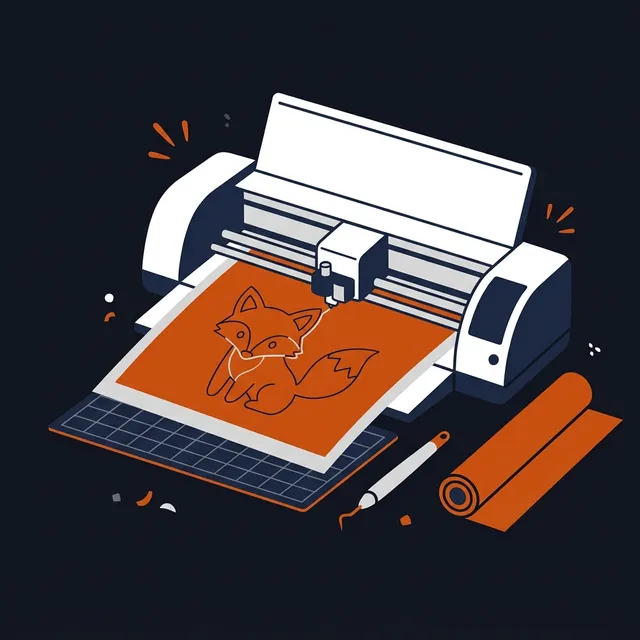
Export files for printers, laser cutters and vinyl cutters (Cricut, Silhouette) that need clean vector outlines.
Frequently Asked Questions
What is an SVG file?
SVG (Scalable Vector Graphics) describes an image with paths and shapes instead of pixels, so it can be scaled to any size without losing quality and edited in tools like Figma, Illustrator or Inkscape.Which images convert well to SVG?
Logos, icons, stickers, flat illustrations and any image with clear shapes and a limited number of colors. Photos and very detailed textures produce large, complex SVG files.Do I need an account?
Yes. Log in with your Craiyon account to upload an image. Conversions use edit credits, which are included in every Craiyon subscription and available as top-ups.How do I edit the SVG?
Open the file in any vector editor (Figma, Adobe Illustrator, Inkscape, Affinity Designer) to recolor, reshape or separate the paths. It also imports into cutting software such as Cricut Design Space and Silhouette Studio.Which files can I upload?
PNG, JPG and WebP files up to 20 MB.Can I convert images generated on Craiyon?
Yes. Open any image on Craiyon and use the Vectorize action, or upload it here. Try the Vector style in the image generator for artwork that converts especially well.