

'%3e%3cpath%20d='M12%2020.3333C16.6024%2020.3333%2020.3333%2016.6024%2020.3333%2012C20.3333%207.39762%2016.6024%203.66666%2012%203.66666C7.39763%203.66666%203.66667%207.39762%203.66667%2012C3.66667%2016.6024%207.39763%2020.3333%2012%2020.3333Z'%20stroke='%23F2F2F2'%20stroke-width='2.08333'%20stroke-linecap='round'%20stroke-linejoin='round'/%3e%3cpath%20d='M8.66667%2013.6667C8.66667%2013.6667%209.91667%2015.3333%2012%2015.3333C14.0833%2015.3333%2015.3333%2013.6667%2015.3333%2013.6667'%20stroke='%23F2F2F2'%20stroke-width='2.08333'%20stroke-linecap='round'%20stroke-linejoin='round'/%3e%3cpath%20d='M9.5%209.5H9.50833'%20stroke='%23F2F2F2'%20stroke-width='2.08333'%20stroke-linecap='round'%20stroke-linejoin='round'/%3e%3cpath%20d='M14.5%209.5H14.5083'%20stroke='%23F2F2F2'%20stroke-width='2.08333'%20stroke-linecap='round'%20stroke-linejoin='round'/%3e%3c/g%3e%3cdefs%3e%3cclipPath%20id='clip0_10282_1064'%3e%3crect%20width='20'%20height='20'%20fill='white'%20transform='translate(2%202)'/%3e%3c/clipPath%3e%3c/defs%3e%3c/svg%3e)


A stylized video game garage UI showing a red cartoon car on a glowing platform, with menu options and car stats.
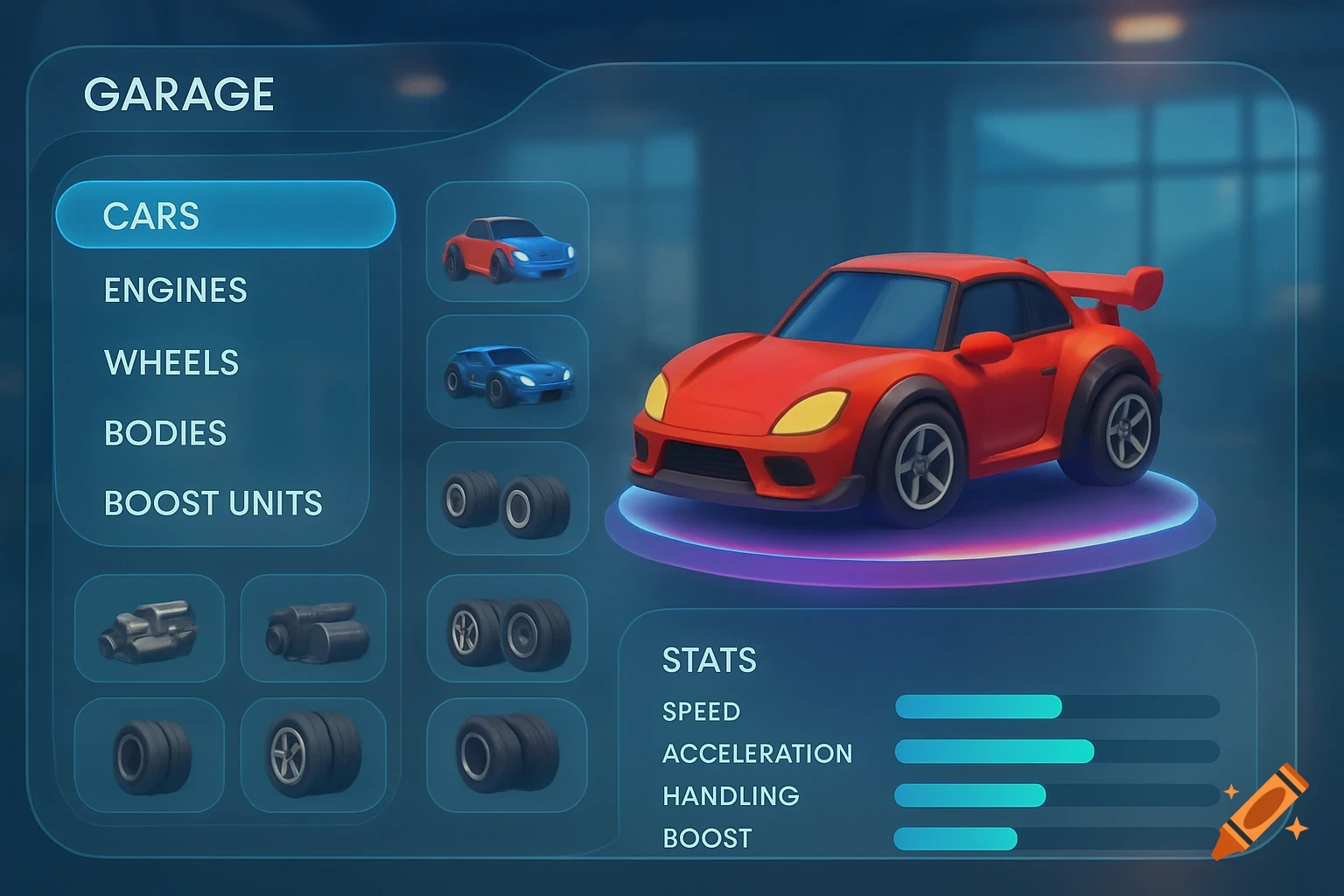
GARAGE SHOP UI — FULL MASTER DESIGN (ALL-IN-ONE) OVERALL DESIGN PHILOSOPHY • Stylized arcade racing UI • Transparent glass panels • Flowing ribbon geometry • Curved shapes, no sharp HUD boxes • Clean hierarchy, easy to read • More premium and layered than Mario Kart World & Sonic CrossWorld • No sci-fi / no hardcore realism ⸻ UI STRUCTURE OVERVIEW Screen Composition The garage UI is divided into three main zones: 1. Vehicle / Parts Display Zone (Right) 2. Shop Selection Grid (Left) 3. Stats & Info Panel (Bottom / Side Overlay) All zones float independently with soft depth and transparency. ⸻ 1️⃣ VEHICLE / PARTS DISPLAY ZONE (RIGHT SIDE) Purpose • Show the selected vehicle or part in 3D • Act as the visual anchor of the screen Design • Vehicle sits on a soft glowing platform ring • Ring is semi-transparent with slow rotation • Subtle color shift based on rarity • No hard borders Interaction • Vehicle rotates slightly on input • Parts visually attach/detach in real time • Stat ribbons react when parts change ⸻ 2️⃣ SHOP SELECTION GRID (LEFT SIDE) Purpose • Browse cars or parts • Switch between categories Tabs (Top Left) • Cars • Engines • Wheels • Bodies • Boost Units Tabs are: • Curved ribbon tabs • Semi-transparent • Active tab glows softly and stretches slightly ⸻ Item Cards (Grid) Card Shape • Rounded rectangle with curved edges • Transparent glass look • Thin glowing outline Inside Each Card • Item icon / thumbnail • Item name • Small rarity accent strip (not text-heavy) • Voir plus
More images like this
